Flaman1.0.2
Publisher Description
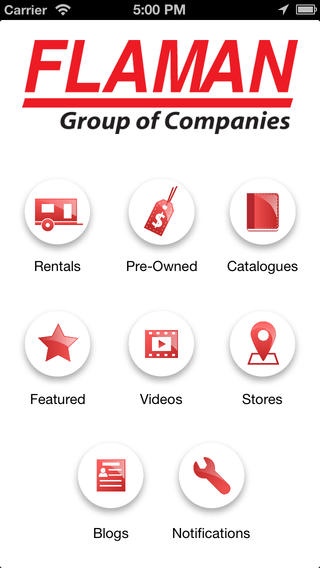
The free Flaman app is all you need to find the agricultural equipment or trailer you re looking for.
Quickly and easily find your local rental dealer and see what equipment they carry.
Never miss out on a great deal again! Get instant access to our pre-owned and clearance equipment and trailer inventory. Check out the pictures, specs and prices. Contact Flaman right from your phone when you find what you need.
Want even more information? Get alerts when there are new catalogues, blogs and videos posted, so you ll never miss anything.
No matter where you are, you can:
Find your local rental dealer
Browse pre-owned and clearance inventory
Download our catalogues
Read the latest blog
Watch our informative videos
Find and contact your closest store
Get notified about new deals and products
Requires iOS 5.0 or later. Compatible with iPhone, iPad, and iPod touch.
About Flaman
The company that develops Flaman is Push Interactions, Inc.. The latest version released by its developer is 1.0.2.
To install Flaman on your iOS device, just click the green Continue To App button above to start the installation process. The app is listed on our website since 2013-08-29 and was downloaded 3 times. We have already checked if the download link is safe, however for your own protection we recommend that you scan the downloaded app with your antivirus. Your antivirus may detect the Flaman as malware if the download link is broken.
How to install Flaman on your iOS device:
- Click on the Continue To App button on our website. This will redirect you to the App Store.
- Once the Flaman is shown in the iTunes listing of your iOS device, you can start its download and installation. Tap on the GET button to the right of the app to start downloading it.
- If you are not logged-in the iOS appstore app, you'll be prompted for your your Apple ID and/or password.
- After Flaman is downloaded, you'll see an INSTALL button to the right. Tap on it to start the actual installation of the iOS app.
- Once installation is finished you can tap on the OPEN button to start it. Its icon will also be added to your device home screen.
